Multi-Factor Authentication: Your First Line of Defense Against Cyber Attacks
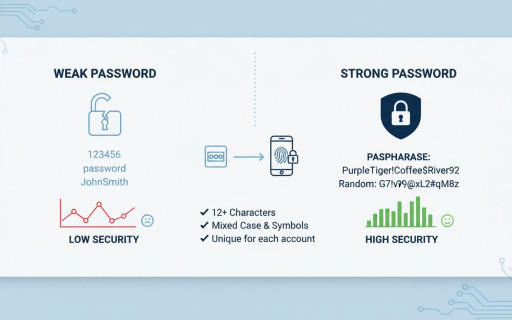
As cyber threats continue to evolve, passwords alone are no longer enough to protect personal or business accounts. Cybercriminals use phishing, credential stuffing, brute-force attacks, and data breaches to steal login credentials every day. This is where Multi-Factor Authentication (MFA) becomes one of the most effective security controls available.
What Is Multi-Factor Authentication?
Multi-Factor Authentication (MFA) is a security mechanism that requires users to provide two or more verification factors before accessing an account or system.
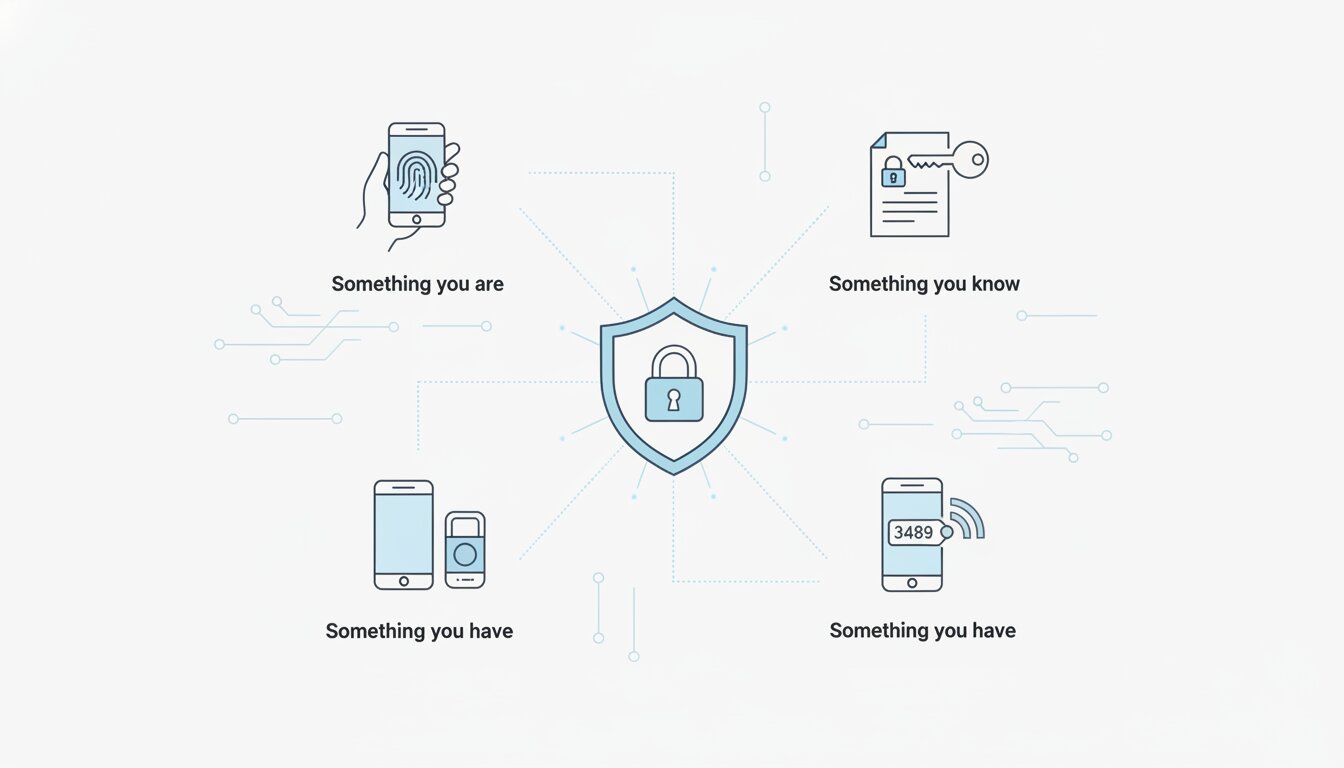
Authentication factors usually fall into three categories:
- Something you know
- Passwords
- PINs
- Security questions
- Something you have
- Mobile phone
- Hardware token
- Authentication app
- Something you are
- Fingerprint
- Face recognition
- Voice recognition
Instead of relying only on a password, MFA adds an additional verification step that significantly reduces unauthorized access.
Why Passwords Alone Fail
Many users still reuse weak passwords across multiple platforms. Once attackers obtain credentials from one breached service, they attempt to use the same credentials elsewhere.
Common password attack methods include:
- Phishing attacks
- Keylogging malware
- Credential stuffing
- Brute-force attacks
- Social engineering
Even strong passwords can be compromised through sophisticated phishing campaigns.
How MFA Improves Security
MFA acts as a second line of defense. Even if an attacker steals a password, they still need the second authentication factor to gain access.
Benefits of MFA include:
- Reduced risk of account compromise
- Protection against phishing attacks
- Better security for remote work environments
- Improved compliance with security standards
- Enhanced protection for sensitive data
Organizations that implement MFA drastically lower the chances of unauthorized access incidents.
Common Types of MFA
1. SMS-Based Authentication
A one-time code is sent via text message.
Pros:
- Easy to set up
- Widely supported
Cons:
- Vulnerable to SIM swapping
- Less secure than app-based methods
2. Authenticator Apps
Apps like Google Authenticator and Microsoft Authenticator generate time-based one-time passwords (TOTPs).
Pros:
- More secure than SMS
- Works offline
Cons:
- Requires app setup
- Device loss can create recovery challenges
3. Push Notifications
Users approve login requests directly from their mobile devices.
Pros:
- Convenient
- User-friendly
Cons:
- Vulnerable to MFA fatigue attacks if abused
4. Hardware Security Keys
Devices such as YubiKey provide strong phishing-resistant authentication.
Pros:
- Highly secure
- Resistant to phishing
Cons:
- Additional cost
- Requires physical possession
5. Biometric Authentication
Uses fingerprints or facial recognition.
Pros:
- Fast and convenient
- Difficult to replicate
Cons:
- Privacy concerns
- Requires compatible hardware
Best Practices for Using MFA
To maximize protection, follow these recommendations:
- Use authenticator apps instead of SMS when possible
- Enable MFA on all critical accounts
- Use unique, strong passwords alongside MFA
- Avoid approving unexpected login prompts
- Store backup recovery codes securely
- Regularly review login activity
MFA Is Essential for Businesses
For organizations, MFA should be mandatory for:
- Email systems
- VPN access
- Cloud platforms
- Administrative accounts
- Financial systems
- Remote access services
Cybersecurity frameworks and compliance standards increasingly require MFA implementation to protect critical infrastructure and sensitive information.
Final Thoughts
Multi-Factor Authentication is one of the simplest yet most effective cybersecurity defenses available today. While no security control is perfect, MFA dramatically reduces the likelihood of unauthorized access and helps protect users from modern cyber threats.
In an era where cyberattacks continue to evolve, enabling MFA is no longer optional; it is a necessity.