How Strong Should Your Passwords Be? A Guide to Creating Secure Passwords
In today’s digital world, your password is often the first and last line of defense between your personal information and cybercriminals. Yet many people still use weak passwords like “123456”, “password”, or even their own names and birthdays. The question is: How strong should your password really be?
What Makes a Password Strong?
A strong password is one that is hard for humans to guess and difficult for computers to crack. Cybercriminals use techniques such as brute force attacks (trying many combinations) and dictionary attacks (using common words and leaked passwords).
A strong password should include:
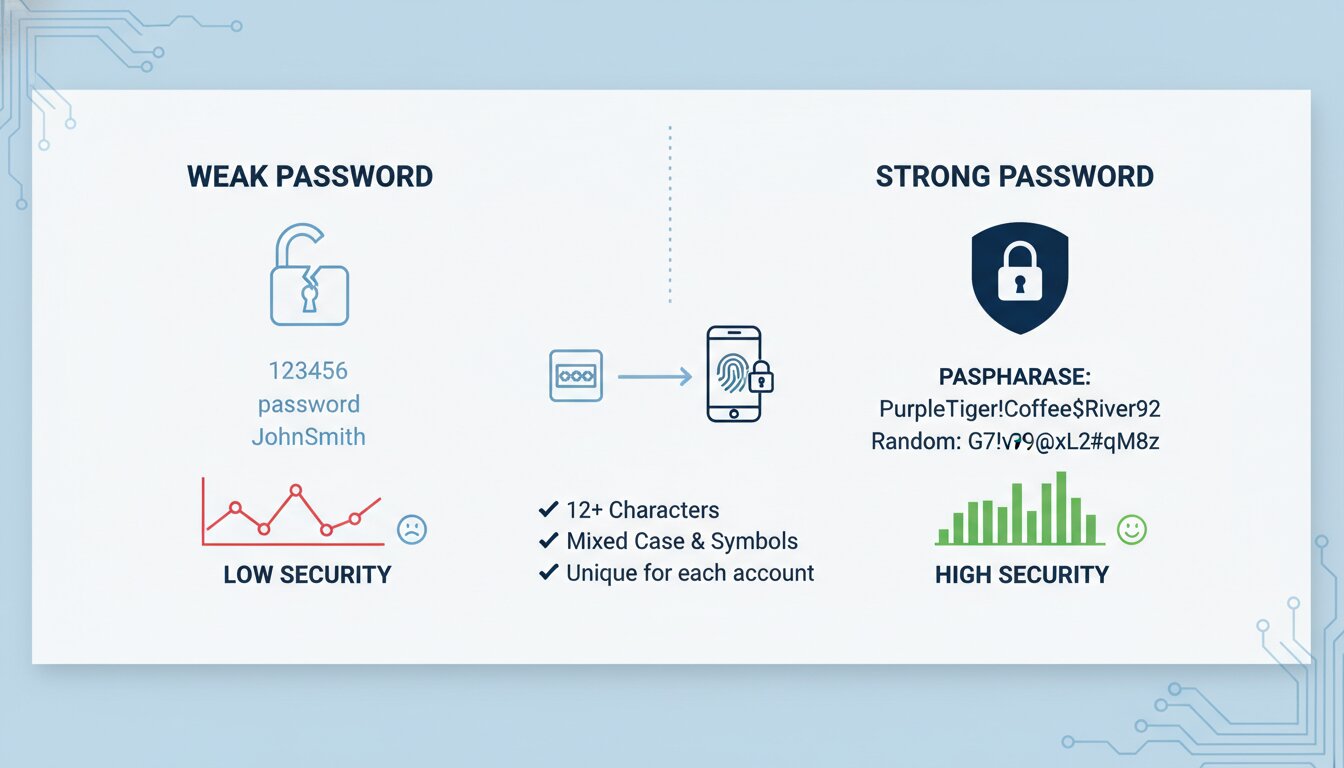
📏At least 12–16 characters (longer is better)
🔡A mix of uppercase and lowercase letters
🔢Numbers and symbols
🚫No personal information (birthdays, names, phone numbers)
🧠No common words or predictable patterns
For example:
😬Weak password:John123
😕Still weak:Password@123
💪Strong password:G7!vP9@xL2#qM8z
However, random-looking passwords can be difficult to remember.
The Better Approach: Use Passphrases
Instead of trying to remember complicated random strings, consider using a passphrase.
A passphrase is a combination of unrelated words that are easy for you to remember but difficult to guess.
Example:
🔐PurpleTiger!Coffee$River92
Or even:
🔐PurpleTiger!Coffee$River92
Long passphrases are often more secure than short complex passwords because password cracking tools struggle more with length.
Why Password Length Matters
Many people focus only on complexity, but length is one of the biggest factors in password strength.
A password with 16+ characters is significantly harder to crack than an 8-character password, even if both contain symbols and numbers.
Think of it this way:
- Short password = easier target
- Long password = stronger defense
One Password for Everything? Never.
Reusing passwords is one of the biggest security mistakes.
If one website gets hacked and your password leaks, attackers may try the same password on your email, social media, banking, or work accounts.
Best practice: Use a different password for every account.
Use a Password Manager
You don’t need to memorize dozens of strong passwords.
Password managers securely store and generate strong passwords for you. This means you only need to remember one master password.
Popular options include password managers built into browsers or dedicated apps.
Enable Multi-Factor Authentication (MFA)
Even the strongest password can be compromised.
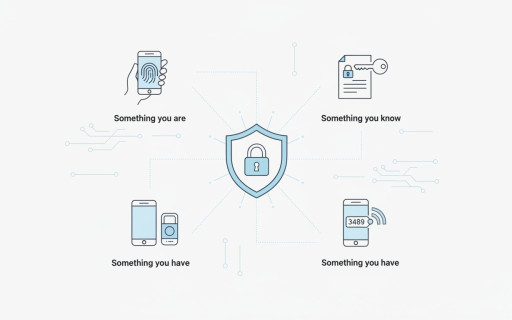
That’s why you should enable Multi-Factor Authentication (MFA) whenever possible. MFA adds an extra layer of security by requiring a second verification step, such as a code sent to your phone or an authenticator app.
Final Thoughts
A strong password is no longer optional; it’s essential.
The safest approach is to use:
- Long passwords (12–16+ characters)
- Unique passwords for every account
- Passphrases or password managers
- MFA whenever available
Remember: A weak password is like leaving your front door unlocked online.
How strong are your passwords today?